Restaurants
From the table to the kitchen: running a restaurant on nexp
Tables, kitchen orders, split bills and staff PINs, and the night's takings on the owner's phone.
The nexp team · 10 October 2026 · 1 min read
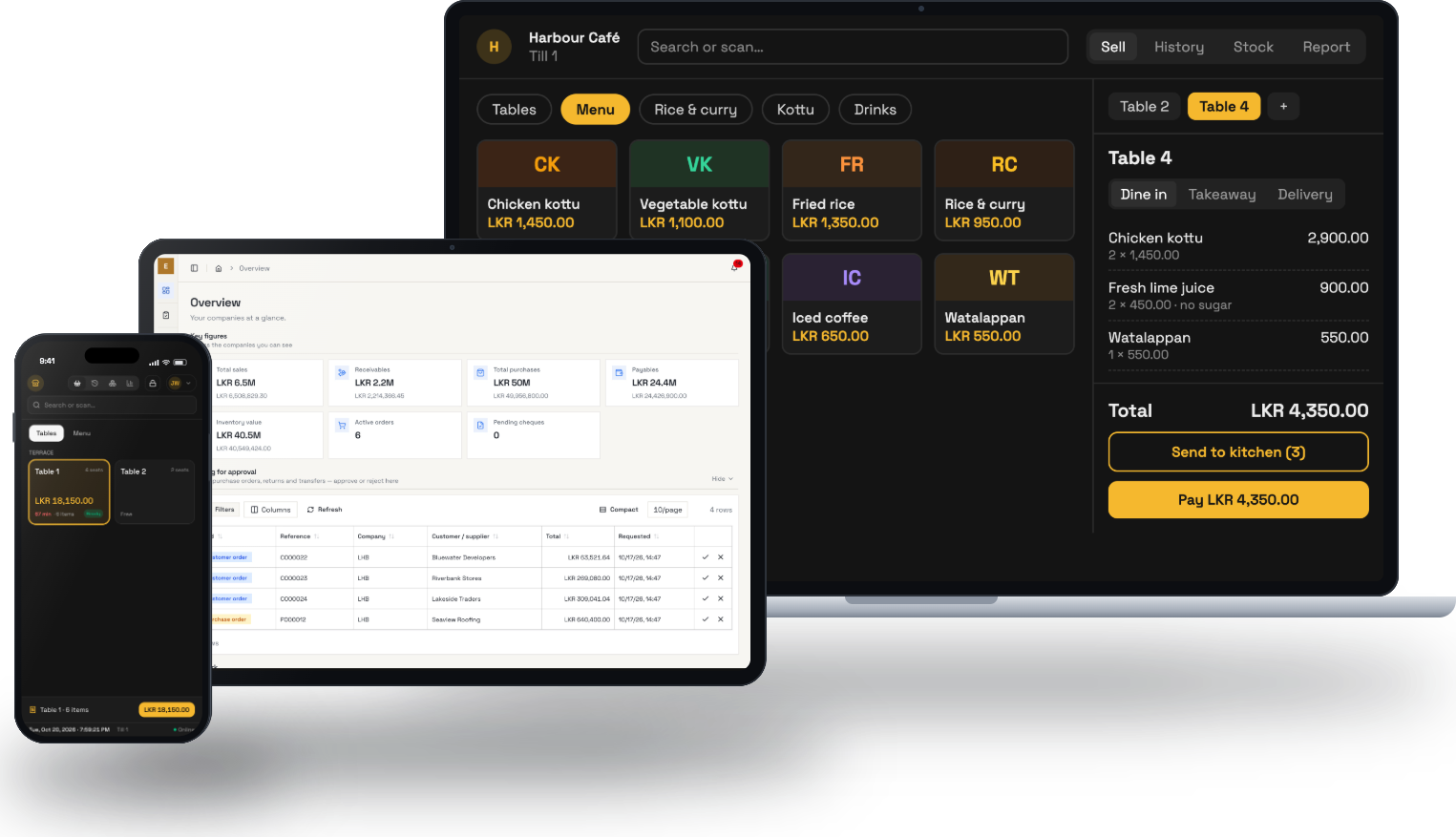
Restaurants lose money in small, quiet ways. An order written on a pad that never reaches the kitchen. A table that sits for twenty minutes because nobody saw it was ready to pay. A bill split four ways by hand while a queue builds at the counter.
The nexp till has a restaurant mode for exactly this.
Tables
The floor plan shows every table, how long it has been open and what it has ordered. Each table keeps its bill open until the guests pay. Several bills can stay open at once without getting mixed up.
Orders to the kitchen
The waiter takes the order on a tablet or phone and sends it to a screen in the kitchen. Notes go with each dish: no sugar, extra spicy, no onions. The kitchen marks an order ready, and the floor sees it.
The kitchen screen can be any tablet or an old laptop on the wall.
Dine in, takeaway and delivery
Each order is marked as dine in, takeaway or delivery, so the report at the end of the night shows how much of the business came from each.
Splitting the bill
"Can we split it?" Move items to separate bills in a few taps, then take each payment on its own: cash from one guest, card from another.
Staff and takings
Every waiter and cashier signs in with a PIN, so every order shows who took it. At the end of the night the owner opens the report on a phone and sees total sales, cash and card, sales by cashier and by order type, and the best-selling dishes, without calling the restaurant.
See it with your own data
Book a free 45-minute setup call. We set up your business with you, load your first products and open a till.
Book a setup call